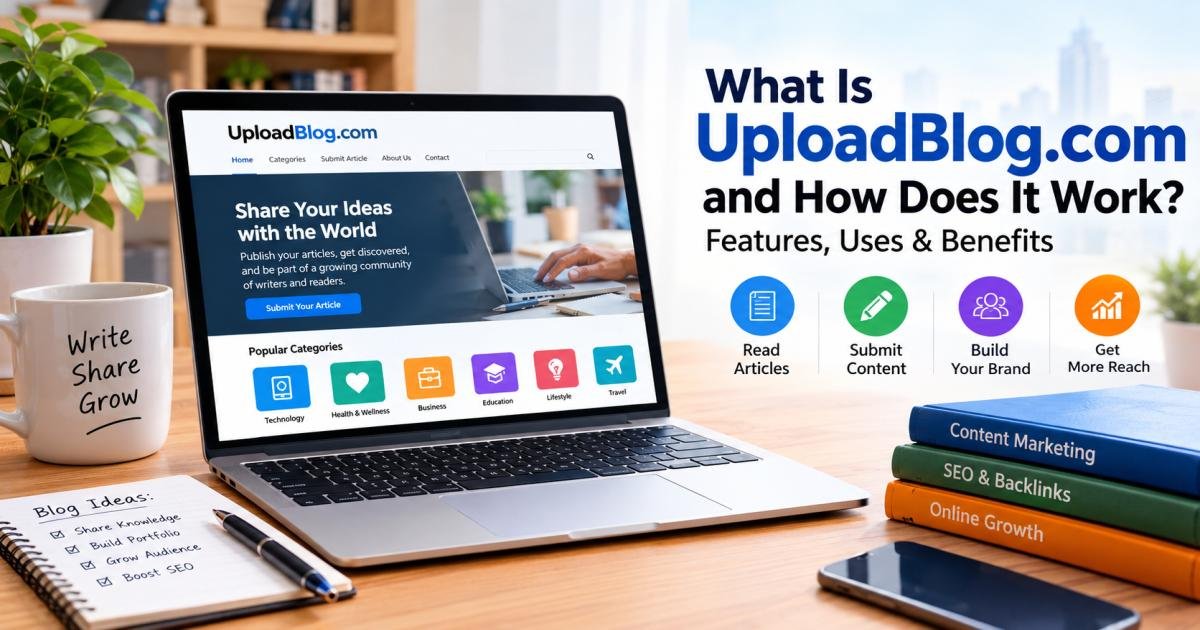
What Is UploadBlog.com and How Does It Work? Features, Uses & Benefits
UploadBlog.com is a general-interest website that publishes guides, reviews, and articles across several subjects. Readers can browse its content, while writers can send article pitches through its contributor page. The clearest published submission route is email: send a pitch or completed draft to admin@uploadblog.com.
What is UploadBlog.com and how does it work? The practical answer is a publication you can read and pitch. Although some pages describe accounts and publishing tools, this review did not verify a working author dashboard or a self-service publishing process.
That distinction matters. Submitting an article to a publication differs from creating a personal blog that you control.
This guide separates what UploadBlog’s public pages confirm from questions you should ask before submitting work or making a payment.
Review scope: This article draws on public pages inspected on October 19, 2026. It does not claim firsthand experience with an author account, a paid placement, or the site’s editorial process.
What Is UploadBlog.com?
UploadBlog.com describes itself as a knowledge magazine and general blogging website. Its homepage features articles on technology, AI tools, gaming, business, finance, and other subjects.
Its About page names readers in Australia, the United States, and elsewhere as its intended audience. That statement describes whom the site aims to serve; it does not establish its visitor count or geographic reach.
Understanding the Purpose of UploadBlog.com
The site offers two clear uses.
First, readers can browse guides and explanations across several topics. Its homepage includes articles about AI tools for small businesses, game localization, and choosing a mortgage broker.
Second, writers can propose articles. UploadBlog’s contributor page welcomes writers, industry experts, and people with useful knowledge to share.
For example, a software consultant might propose a guide to choosing project management tools. A travel writer might pitch a practical planning checklist. These examples show possible approaches, not confirmed acceptance decisions.
Who Owns and Operates UploadBlog.com?
The About and contributor pages reviewed did not clearly name a legal owner, operating company, or responsible editor. The contributor page does list an email address and a WhatsApp contact number.
A contact address gives you a way to ask questions. It does not, on its own, establish business ownership.
Before paying for publication, ask who will issue the invoice and who will carry out the agreement. Get the person’s or company’s name in writing rather than relying on a display name or chat profile.
What Is UploadBlog.com and How Does It Work? A Step-by-Step Guide
The documented process has two paths: readers browse published articles, and contributors email a pitch or draft for consideration.
Here is how to approach each stage without assuming features that this review could not verify.
Step 1: Visit the Official UploadBlog.com Website
Enter uploadblog.com in your browser.
Check the spelling before sending information or following payment instructions. Search results include similarly named websites, including myuploadblog.com and uploadblogcom.com. Their names alone do not prove a connection to UploadBlog.com.
Step 2: Explore Available Content and Categories
Open a few recent articles in your subject area.
The homepage groups posts into categories such as AI tools, technology and gadgets, gaming, and business and finance.
Use those examples to assess topic fit. Notice the depth, tone, article structure, and intended reader. A guide for first-time business owners needs a different approach from a technical article for software developers.
Step 3: Review the Article Submission Guidelines
UploadBlog asks contributors for original, previously unpublished work. It also requests clear headings, short paragraphs, a professional tone, natural keyword use, and copyright-free images.
Its length instruction reads “Minimum 800–1500 words.” Since that wording does not state a single minimum, ask which length applies to your proposed article.
Clarifying this point before drafting can prevent avoidable revisions.
Step 4: Prepare and Submit Your Article
The contributor page directs writers to email a pitch or completed draft to admin@uploadblog.com. It asks for a name, short bio, and relevant links. A headshot or logo is optional.
A useful pitch includes:
- A proposed title.
- The question your article answers.
- A short outline.
- The intended reader.
- Your relevant background.
- Any connection to a business mentioned in the article.
Keep the message specific. “A checklist for choosing payroll software” gives an editor more to assess than “I want to write about business.”
Step 5: Confirm the Publication Terms
The contributor page does not provide a complete agreement covering fees, review times, editing rights, or publication guarantees.
Ask about those terms before treating a reply as acceptance.
Also confirm whether you can publish the article elsewhere, who approves major edits, and what happens if either party cancels.
Step 6: Find and Share Published Content
If the site publishes your article, review the live page before sharing it.
Check your name, bio, facts, images, links, and any sponsorship notice. Compare the page with the agreed draft and report meaningful errors.
Then share the article where its subject fits, such as your portfolio, professional profile, or newsletter. Avoid presenting publication as proof of results you have not measured.

What Are the Key Features of UploadBlog.com?
The public pages reviewed confirm three main features: published articles, topic-based browsing, and an invitation for guest contributions.
Other claims need separate verification.
Informative Articles and Educational Guides
UploadBlog publishes explainers, reviews, and practical guides. Its homepage covers subjects ranging from AI software to business decisions.
This variety can help readers explore a topic. It does not establish that every article has passed specialist review.
Before acting on financial or health information, examine the author’s qualifications and check important claims against sources qualified to address them.
Multiple Topics and Content Categories
The contributor page lists subjects including:
- Technology and gadgets.
- AI tools.
- Business and finance.
- Health and wellness.
- Lifestyle and personal growth.
- Travel and culture.
- Home projects.
- Entertainment and media.
A broad topic list gives writers several possible entry points. However, permission to pitch a subject does not tell you how many readers follow that category.
Website Navigation and Search Functionality
The homepage organizes articles under topic headings and links readers to related sections. That structure gives visitors a clear browsing route.
This review did not confirm a working internal search tool, advanced filters, or personalized recommendations. Do not assume those features exist without checking the live website.
Article Structure and Internal Linking
UploadBlog asks writers to use headings, short paragraphs, and relevant keywords. It also mentions meta tags in its submission guidance.
Those instructions describe how contributors should prepare content. They do not prove that writers can edit page settings or access publishing tools.
Google recommends descriptive titles, useful headings, and crawlable links that help readers and search systems understand a page.
What Can You Use UploadBlog.com For?
The strongest documented uses are reading articles and proposing original contributions. Its value for any specific writer depends on topic fit and the terms agreed before publication.
Sharing Knowledge and Original Content
UploadBlog invites contributions from people with useful insights.
A strong article should explain something the reader can understand or act on. For instance, a bookkeeping guide could show which records a small shop should organize before meeting an accountant.
The example should clarify the process. It should not imply professional experience that the author does not have.
Building an Online Writing Portfolio
A published article can serve as a writing sample if the page clearly credits you.
UploadBlog requests a contributor bio and relevant links, but its page does not fully explain how it displays every author’s profile. Confirm the byline and bio arrangement before submitting.
Save your draft and publication details. A portfolio should show both the quality of your work and your role in producing it.
Promoting Business Expertise and Brand Awareness
The contributor page lists personal and business promotion among its proposed benefits.
A useful business article demonstrates knowledge through clear answers. For example, a web designer could explain what clients should prepare before requesting a quote.
That approach gives readers something useful without turning each paragraph into a sales message.
What Are the Benefits of Using UploadBlog.com?
The site may offer an additional reading source or publication opportunity. Claims about audience size, traffic, and commercial results require more evidence.
Access to Information Across Different Topics
Readers can move between business, technology, lifestyle, and other subjects on one website.
That breadth suits early research. For an important decision, follow the article’s sources and compare the explanation with specialist guidance.
Opportunities for Writers and Content Creators
The “Write for Us” page provides a public route for pitching articles.
That makes the submission process easier to locate. It does not guarantee acceptance, compensation, or a particular publication date.
Potential Brand Visibility and Audience Reach
An accepted article may introduce your name or business to readers. UploadBlog promotes exposure as a contributor benefit, but the official pages reviewed did not establish independently verified audience figures.
If reach affects a purchasing decision, ask for recent traffic evidence and clarify what the figures measure. Whole-site visits do not show how many people will read one guest article.
Content Discovery and Knowledge Sharing
Category pages give readers a route to articles related to their interests. UploadBlog’s homepage visibly groups content by subject.
For contributors, the practical lesson is to choose a clear topic that belongs in one of those sections.
Support for a Broader Content Plan
A guest article can complement resources on your own website when it answers a relevant question and gives readers a useful next step.
Google advises publishers to create helpful content for people and warns against content or links designed mainly to manipulate rankings.
How to Submit an Article to UploadBlog.com
The clearest official instruction is to send a pitch or draft to admin@uploadblog.com. That email-based route appears on the contributor page; this review did not verify a replacement dashboard process.
Check the Current Contributor Requirements
Read the guidelines shortly before submission.
Confirm the expected length, originality rules, image requirements, author details, and link allowance. Ask about any point the page leaves unclear.
Choose a Relevant Topic and Create Original Content
Choose one reader problem and answer it thoroughly.
Add evidence, examples, or practical detail rather than restating common claims. Google’s people-first guidance asks whether content offers original information and provides value beyond material already available.
Cite borrowed facts and clearly identify quotations.
Follow the Website’s Article Submission Instructions
Include the requested name, short bio, and relevant links.
A simple email subject works:
Article Pitch: [Proposed Title]
Explain the article’s main benefit in the first few lines. If you attach images, state where they came from and what permission allows their use.
Understand Publication Approval and Editorial Changes
The reviewed guidelines do not fully describe approval stages, response times, or revision rounds.
Ask whether the site may change your headline, add links, or alter your main argument. Agree on how both sides will handle substantial changes.
Check Your Published Article for Accuracy and Links
Review the final page for:
- Accurate names, dates, and figures.
- Correct quotations and source attribution.
- Working links.
- Author credit.
- Image credits.
- Any required advertising notice.
Keep the correction request brief and specific so the recipient can identify the issue.
Is UploadBlog.com Free or Paid?
Reading a public article and paying for a publishing service are separate questions. The contributor page reviewed does not clearly list publication prices.
Is Reading Content on UploadBlog.com Free?
The homepage, About page, and contributor page were accessible during this review without a subscription prompt. That confirms access to those pages at the time of inspection, not every service the website may offer.
Are Guest Posts and Article Submissions Free?
The site invites submissions but does not clearly state that every guest article is free to publish.
Ask whether a fee applies to review, editing, publication, or keeping an article online.
Are There Sponsored Content or Premium Publishing Options?
A competing review describes free and paid plans, including storage and customization options. The official pages inspected did not confirm those details.
Treat such claims as unverified until the site provides current written terms. Do not infer a price from an unrelated review or an old message.
Is UploadBlog.com Legit, Safe, and Trustworthy?
UploadBlog.com has accessible articles and a published contributor contact route. Those facts establish that a website and submission page exist. They do not prove the accuracy of every article or the reliability of a paid agreement.
Website Transparency and Contact Information
The contributor page lists email and WhatsApp contact details. The reviewed About page explains the publication’s purpose but does not clearly identify a legal owner or named editor.
This gap calls for further checks. It is not enough, by itself, to label the site dishonest.
Privacy, Sponsored Content, and External Links
This research could not retrieve readable content from the attempted privacy and terms pages. That limitation does not establish that the pages are absent.
Inspect the current policies in your browser before sharing personal information. For paid publication, ask how the article will disclose sponsorship and identify advertising links.
What to Check Before Submitting Content or Making Payments
Before committing:
- Verify the domain and recipient.
- Identify the person or business receiving payment.
- Request an invoice.
- Agree on the work and deadline.
- Confirm cancellation and refund terms.
- Clarify content ownership.
- Keep the written agreement.
Avoid offers that promise a specific Google position. Google’s policies prohibit several forms of ranking manipulation, including buying links for ranking credit.
Can UploadBlog.com Help With Search Visibility and Backlinks?
UploadBlog’s contributor page says writers may include one “do-follow” link to a website or portfolio. That is a published submission policy, not proof of a ranking benefit.
How Guest Posting May Support Content Marketing
A relevant guest article can introduce readers to a useful resource or service. Its value should start with the reader’s needs.
Google’s guidance distinguishes helpful content from material created mainly to manipulate search results.
A well-matched article and a meaningful referral can matter more than collecting an extra link.
Understanding Backlink Quality and Link Attributes
A backlink is a link from another website to yours.
“Dofollow” is an informal term, not a special HTML attribute. Google discusses attributes such as rel=” sponsored” and rel=”nofollow” for qualifying certain links, including paid placements.
Check the actual published page rather than relying only on a sales description.
Risks and Best Practices for Contributors
Google lists buying or selling links for ranking purposes as link spam. Its examples also cover paid articles that pass ranking credit and optimized anchor text in distributed guest posts.
Use descriptive link text, link only to relevant resources, and ask the publisher to qualify paid links properly. Do not treat a guest article as a purchased ranking signal.
What Are the Pros and Cons of UploadBlog.com?
The main advantages concern access and contribution opportunities. The limitations concern information that remains unclear.
Main Advantages of UploadBlog.com
- Readers can browse several subjects.
- The site publishes guides and explainers.
- Writers can find a public contributor page.
- Submission instructions include a direct contact.
- The guidelines state basic originality and formatting rules.
Potential Limitations and Drawbacks
- The reviewed pages do not clearly establish legal ownership.
- Publication fees and response times remain unclear.
- This review did not verify an author dashboard.
- Official audience figures remain unconfirmed.
- Some third-party feature claims lack confirmation in the official pages inspected.
Who Should Consider Using UploadBlog.com?
Writers exploring an additional publication outlet may find it worth contacting.
Businesses should first check topic fit, reader relevance, costs, and publication rights. Anyone who needs full control over design, scheduling, and site management should compare it with options for running their own blog.
UploadBlog.com vs. Other Blogging Platforms
The central difference is control: contributing to an existing publication is not the same as managing your own publishing space.
UploadBlog.com vs. Medium
Medium supports publishing stories through an author profile, as described in a beginner’s publishing guide. UploadBlog’s confirmed instructions instead point contributors toward email submission.
Check each service’s current terms before choosing between independent posting and publication review.
UploadBlog.com vs. WordPress
WordPress.org supplies open-source software for a site you host. WordPress.com offers a hosted service. A self-hosted site also brings responsibilities such as hosting, updates, backups, and security.
UploadBlog’s guest submission route does not provide the same documented level of site control.
UploadBlog.com vs. Blogger
Blogger lets users create and manage their own blogs. Google’s instructions explain how to sign in, create a blog, choose a name, and select an address.
That differs from pitching an article to UploadBlog. Blogger fits the goal of starting your own blog; UploadBlog offers a route to propose work to an existing publication.
Tips for Getting the Most Out of UploadBlog.com
Choose a clear goal before submitting. A portfolio sample, a useful reader resource, and a paid brand placement require different checks.
Read and Follow the Latest Submission Guidelines
Review the contributor page again before sending your draft. Confirm unclear requirements directly, especially article length, fees, and permitted links.
Create Helpful, Original, and Reader-Focused Content
Answer the main question early. Explain unfamiliar terms and support important statements with reliable sources.
Do not claim personal testing, results, or professional experience you cannot document. Google’s quality guidance emphasizes experience, expertise, authority, and trust rather than a particular writing method.
Use Relevant Keywords Without Keyword Stuffing
Place the main phrase where it helps readers understand the page. Use related questions to cover real concerns, such as submission costs and article approval.
Google recommends descriptive titles and headings. Repetition alone does not make an article more useful.
Set Realistic Expectations for Traffic and Search Results
Measure outcomes you can observe, such as referral visits, inquiries, and portfolio use.
Do not repeat unsupported traffic estimates or claim that publication caused a ranking change without evidence.
Final Thoughts
UploadBlog.com offers a documented place to read articles and propose guest contributions. Its strongest confirmed publishing detail remains the email submission route, not a tested self-service account system.
Consider it if the content matches your work and the publication terms meet your needs. Before submitting, confirm fees, author credit, editing rights, link treatment, and content ownership in writing. Those answers provide a firmer basis for your decision than promises about traffic or rankings.
FAQs
What Is UploadBlog.com Used For?
UploadBlog.com publishes general-interest articles and invites guest contributions. Topics include technology, business, health, lifestyle, and travel.uploadblog+1
How Does UploadBlog.com Work for Beginners?
Readers browse articles by topic. Contributors review the guidelines and email a pitch or draft with their name, bio, and relevant links.
Can Anyone Submit an Article to UploadBlog.com?
The contributor page welcomes writers, experts, and people with useful insights. An invitation to submit does not guarantee acceptance.
Is UploadBlog.com Free to Use?
The reviewed public pages did not require a subscription. The contributor page did not clearly state whether every article submission or publication is free.
Is UploadBlog.com Legit and Safe?
The site has public articles and contact details, but this review did not verify its complete business identity, payment reliability, or data practices. Check those matters before sharing sensitive information or paying.
Does UploadBlog.com Allow Guest Posting?
Yes. Its contributor page invites guest articles and provides submission requirements.
Can UploadBlog.com Improve a Website’s Search Visibility?
A useful article may support content marketing, but publication does not guarantee rankings. Paid links must follow Google’s link policies.
Can You Earn Money From UploadBlog.com?
The reviewed contributor page does not state a writer payment or revenue-sharing program. Confirm compensation before accepting an assignment.