
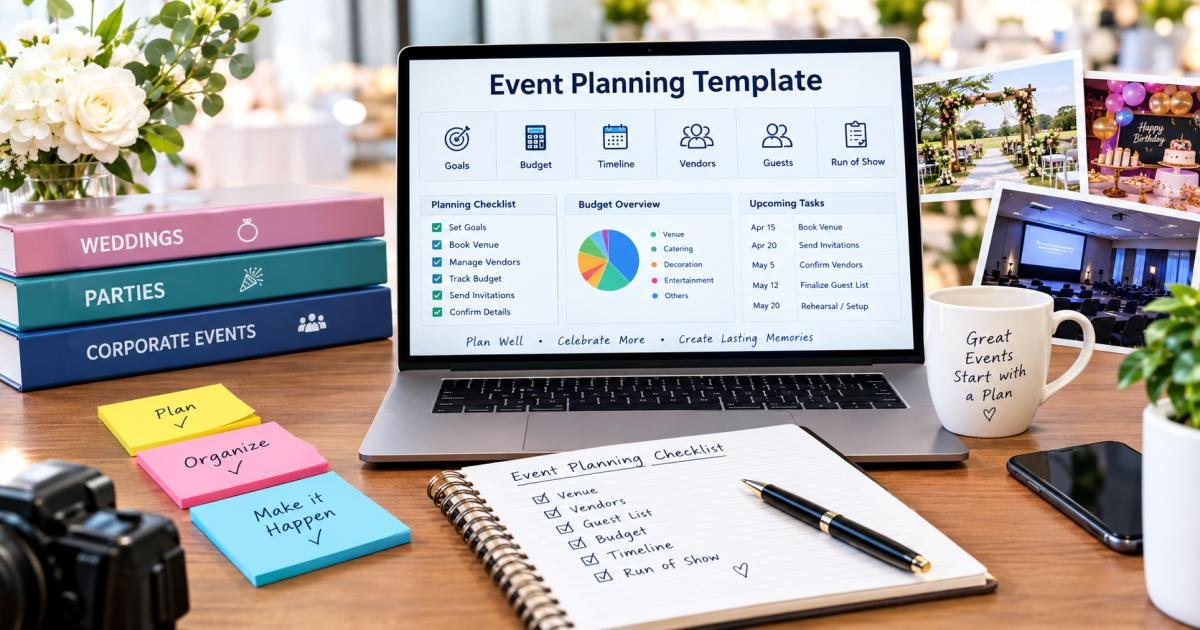
The Complete Event Planning Template for Weddings, Parties, and Corporate Events
An event planning template is a ready-made framework for organizing every task, deadline, budget line, and vendor detail an event needs, from a backyard birthday party to a 300-guest wedding to a full-day company conference. Instead of starting from a blank page, you fill in dates, names, and numbers into a structure that already works.
Anyone can use one. Brides and grooms planning a wedding, parents planning a birthday party, HR teams running a company retreat, and professional planners juggling five clients at once all rely on the same idea: write the plan down before the event happens, then check items off as you finish them.
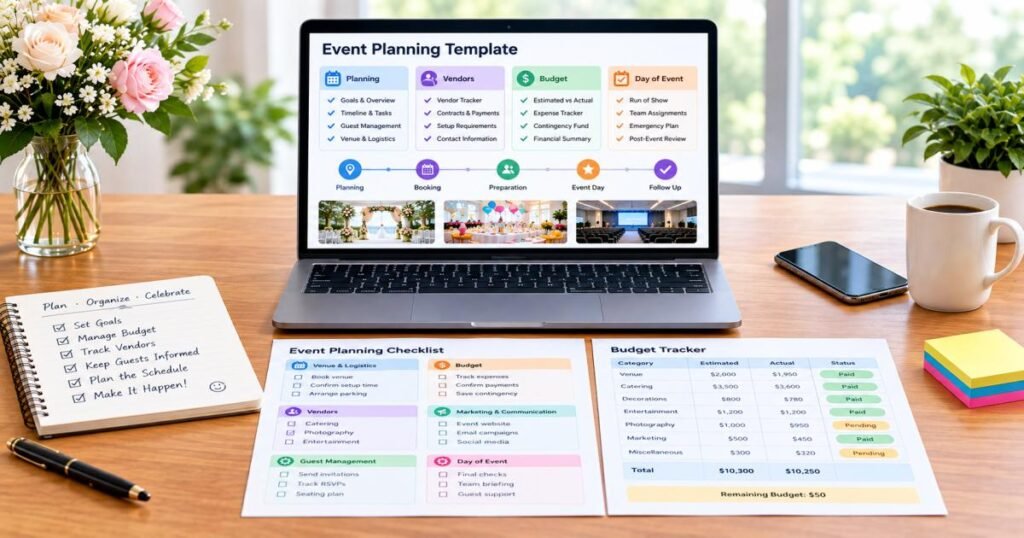
A solid event planning template does more than list tasks. It gives you one place to track:
- Budget: what you planned to spend versus what you actually spent
- Tasks and deadlines:s who owns each task, and when it’s due
- Vendors, rs contracts, deposits, and contact details
- Guests RSVPs, seating, and dietary needs
- Event-day schedule: a minute-by-minute run of show for the big day
On average, couples spend around $290 to $300 per guest on a wedding, based on 2026 data from The Knot and Zola. That single number explains why a clear budget template matters so much: guest count alone can swing your total cost by tens of thousands of dollars.
This guide walks through a full event planning template for three event types: pes weddings, parties, and corporate events, plus a planning timeline, a budget breakdown, a vendor management template, and a run-of-show template for the day itself.
What Is an Event Planning Template?
An event planning template is a structured document, usually a spreadsheet, checklist, or planner, that breaks a large event into small, trackable tasks. Instead of holding 200 details in your head, you sort them into categories: budget, timeline, vendors, guests, and event-day logistics.
Professional planners use templates for the same reason accountants use ledgers: consistency. A template keeps a task from slipping through the cracks just because you’re busy or new to planning. It adds structure to the process while staying flexible enough to fit a 20-guest baby shower or a 2,000-person trade show.
Most event planning templates share five core parts:
- Event overview and goals
- Budget tracker
- Task and timeline list
- Vendor and guest management
- Event-day run of show
Once you build or download one solid event planning template, you can reuse it for every event that follows. You only need to update the details that change.
What Should an Event Planning Template Include?
A complete event planning template covers the entire life of an event, from the first planning meeting to the thank-you notes afterward. Here is what belongs in each section.
Event Overview and Goals
Start with the basics: event name, type, date, location, and purpose. Then write down what success looks like: happy guests, a memorable party, or a corporate event that hits its KPIs. This section anchors every other decision in your event planning checklist.
Budget and Expense Tracker
List every cost category venue, food, decor, staffing with columns for estimated cost, actual cost, deposit paid, and balance due. This single sheet catches overspending early, before it turns into a real problem.
Planning Timeline and Task List
Build a master list of tasks. Assign each task an owner and a due date. Group tasks by phase: 12 months out, six months out, one month out, so nothing waits until the final week.
Guest and RSVP Management
Track invitations sent, RSVPs received, meal choices, seating assignments, plus-ones, and any dietary or accessibility needs in one RSVP tracker.
Venue and Logistics
Record venue details, contract terms, capacity limits, load-in and load-out times, parking, and floor plans. Add permits or insurance if your event requires them.
Vendor and Supplier Management
Log every vendor caterer, photographer, DJ, decorator, AV company with contact info, contract status, deposit amounts, and final payment dates in a vendor management template.
Program and Run-of-Show
Map the order of events: when speeches happen, when dinner starts, when the music begins. This becomes your minute-by-minute script on the day itself.
Marketing and Communications
For public or corporate events, plan invitations, save-the-dates, social posts, email reminders, and press outreach. For private events, this section can simply cover your guest communication plan.
Risk and Contingency Planning
List what could go wrong bad weather, a vendor cancellation, a tech failure and write your response to each one. An event contingency plan turns a stressful surprise into a five-minute fix.
Event-Day Operations
Assign staff, list emergency contacts, and set a point person for each area: catering, entertainment, and guest check-in. Many event coordinators keep this list on a single card for quick reference during the event.
Post-Event Evaluation
Write a short debrief after the event: what worked, what didn’t, final costs versus budget, and feedback from guests or attendees.
How to Use an Event Planning Template From Start to Finish
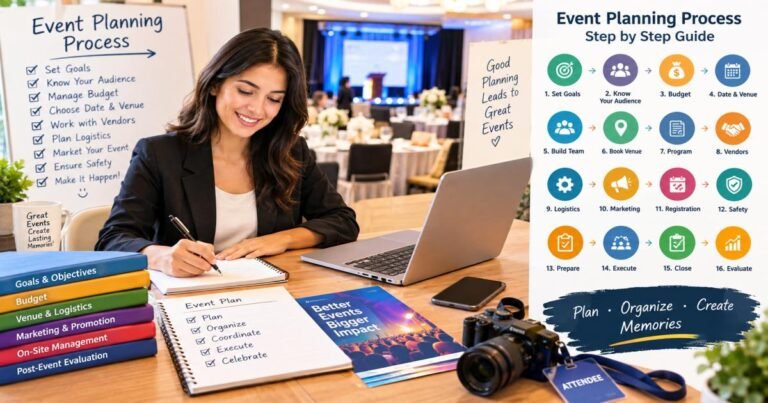
Owning a template is one step. Using it well is another. These ten steps show how to work through your event planning template from start to finish.
Step 1: Define the Event’s Purpose and Goals
Before you set a budget or build a guest list, write down why the event exists. A wedding celebrates a marriage. A birthday party celebrates a person. A corporate event might launch a product or reward a team. Your goal shapes every decision that follows, so place it at the top of your event planning template.
Step 2: Set the Date, Guest Count, and Budget
These three numbers drive almost every other decision. A larger guest list needs a bigger venue and a bigger budget. A tighter budget might call for an off-peak date. Lock in rough numbers early, then refine them as you go.
Step 3: Choose and Secure the Venue
Book your venue early. Popular venues fill up months, sometimes a year, in advance. Confirm capacity, included services, and cancellation terms before you sign anything.
Step 4: Build Your Master Timeline
Break the planning process into phases (see the timeline below) and assign a rough deadline to each major task. This timeline becomes the backbone of your event planning template.
Step 5: Book and Manage Vendors
Request quotes from at least two or three vendors per category. Compare pricing, availability, and reviews before you commit. Track every contract and deposit in your vendor management template.
Step 6: Plan the Guest Experience
Send invitations, track RSVPs, and plan the small details that make guests feel cared for: seating, food options, and a clear schedule they can follow.
Step 7: Finalize the Program and Logistics
Confirm the order of the day: arrival times, speeches, meals, and entertainment. Share this plan with vendors and key helpers so everyone knows what happens when.
Step 8: Prepare the Event-Day Run of Show
Turn your program into a detailed, time-stamped run-of-show template. Print copies for your team and key vendors.
Step 9: Execute the Event
On the day, your job shifts from planning to problem-solving. Follow the run of show, but stay ready to adjust. A good plan bends without breaking.
Step 10: Review and Close Out the Event
Pay final invoices, thank your vendors and helpers, and update your event planning template with notes on what worked and what you’d change next time.
Wedding Event Planning Template
Wedding Planning Checklist
- Set the wedding date and budget
- Book the ceremony and reception venues
- Hire key vendors: photographer, caterer, florist, and music
- Choose the wedding party and send save-the-dates
- Order the dress, suit, and rings
- Send invitations and track RSVPs
- Plan the ceremony script and reception timeline
- Confirm final headcount and seating chart
- Schedule hair, makeup, and rehearsal
- Prepare final payments and vendor confirmations
Wedding Budget Categories
The average U.S. wedding costs between $34,000 and $36,000, based on 2026 data from The Knot’s Real Weddings Study and Zola’s First Look Report. Most couples spend far less than that average, though. The median often falls between $10,000 and $18,000, since a small number of expensive weddings pull the average up. A faster way to build your own wedding budget breakdown is the cost-per-guest method: recent data puts that figure at roughly $290 to $300 per guest, so a 100-guest wedding typically lands near $29,000 to $30,000 before any large extras.
| Category | Typical Share of Budget |
| Venue | 25–30% |
| Catering and bar | 25–30% |
| Photography and video | 10–12% |
| Attire and beauty | 5–8% |
| Flowers and decor | 8–10% |
| Music and entertainment | 5–8% |
| Stationery and favors | 2–3% |
| Contingency fund | 5–10% |
Wedding-Day Timeline
| Time | Activity |
| 8:00 AM | Hair and makeup begins |
| 12:00 PM | Getting-ready photos |
| 2:00 PM | First look and wedding party photos |
| 4:00 PM | Ceremony |
| 5:00 PM | Cocktail hour |
| 6:00 PM | Reception entrance and first dance |
| 6:30 PM | Dinner service |
| 7:30 PM | Toasts and speeches |
| 8:00 PM | Cake cutting and open dancing |
| 11:00 PM | Send-off |
Party Event Planning Template
Party Planning Checklist
- Pick a theme, date, and guest list
- Set a realistic budget
- Book a venue or prepare your home space
- Send invitations (digital or printed)
- Order food, drinks, and a cake
- Plan decorations and party favors
- Arrange music, games, or entertainment
- Confirm final headcount a week ahead
- Prepare a shopping and setup list
- Assign a helper for cleanup
Party Budget and Vendor Tracker
Even a small party benefits from a party budget template. Track each vendor and cost the same way you would for a wedding, just at a smaller scale.
| Item | Vendor/Source | Estimated Cost | Actual Cost | Deposit Paid |
| Venue rental | ||||
| Catering | ||||
| Cake/dessert | ||||
| Decor and rentals | ||||
| Entertainment | ||||
| Photography |
Party-Day Schedule
A party needs a lighter schedule than a wedding. Plan setup one to two hours before guests arrive, a welcome period, the main activity or meal, a highlight moment such as a cake or game, and a wind-down period before cleanup. Even a simple party planning checklist should include this basic shape, so the day doesn’t drift.
Corporate Event Planning Template
Corporate Event Goals and KPIs
Every corporate event needs a measurable goal before it needs a venue. Common goals include generating leads, boosting employee engagement, launching a product, or thanking clients. Pair each goal with a KPI: number of qualified leads, attendee satisfaction score, media mentions, or survey results. According to Bizzabo’s 2026 event marketing research, only about 40% of organizers still find it hard to prove event ROI, down sharply from around 70% the year before. That shift points to one thing: clearer goals and KPIs are paying off industry-wide.
Corporate Event Checklist
- Define objectives, KPIs, and target audience
- Set budget and get internal sign-off
- Choose date, venue, and format (in-person, virtual, or hybrid)
- Book speakers, entertainment, and AV support
- Plan branding, signage, and marketing outreach
- Manage registration and attendee communications
- Coordinate catering, seating, and logistics
- Prepare a run-of-show template for the event team
- Plan post-event follow-up and reporting
Corporate Event-Day Run of Show
Corporate events need an especially detailed run of show because multiple departments and vendors have to move in sync. Registration staff, AV technicians, speakers, and catering teams all need to know exactly when their part begins and ends.
Post-Event Reporting and ROI Review
After the event, compare actual attendance and spend against your original goals. Survey attendees while the event is still fresh in their minds. Tracking corporate event ROI takes discipline, not guesswork, and a repeatable event planning template makes that discipline easier to keep up year after year.
Event Planning Timeline: What to Do and When
6–12 Months Before
- Set goals, budget, and guest count
- Book the venue and key vendors
- Reserve accommodations for a wedding or destination event
3–6 Months Before
- Finalize catering, entertainment, and decor
- Send save-the-dates or early invitations
- Confirm speakers or entertainment contracts
1–3 Months Before
- Send formal invitations
- Finalize the program and run-of-show draft
- Order rentals, signage, and printed materials
1–2 Weeks Before
- Confirm final headcount with the venue and caterer
- Reconfirm every vendor’s arrival time
- Finalize seating charts and place cards
1–2 Days Before
- Pick up or confirm delivery of rentals and decor
- Walk through the venue one last time
- Brief your team or wedding party on the schedule
Event Day
- Follow your run of show
- Assign one person to handle unexpected issues
- Keep a printed copy of every vendor’s contact number
After the Event
- Pay any remaining vendor balances
- Send thank-you notes or messages
- Review your budget and notes for next time
Event Planning Budget Template
Essential Budget Categories
Every event draws from the same core budget categories: venue, food and drink, decor, entertainment, staffing, photography or AV, marketing, and a contingency fund. List these categories before you collect a single quote, and your event budget template stays organized from day one. The same cost-per-guest logic used for wedding budgets works here too: multiply your expected headcount by a typical per-person cost for your event type to get a fast, realistic estimate.
Estimated vs. Actual Event Costs
Track two numbers for every line item: what you expected to pay and what you actually paid. This habit catches budget creep early, instead of discovering it after the invoices arrive.
| Category | Estimated Cost | Actual Cost | Difference |
| Venue | |||
| Catering | |||
| Decor | |||
| Entertainment | |||
| Photography | |||
| Contingency |
How to Build a Contingency Fund
Set aside 5% to 10% of your total budget as a buffer for surprises: a price increase, an extra rental, or a last-minute fix. Planners who skip this step typically face a stressful budget shortfall in the final weeks, since unplanned costs like service charges, overtime, or weather-related changes rank among the most common reasons events run over budget.
Event Vendor Management Template
Vendor Information to Track
| Vendor Type | Name | Contact | Contract Status | Deposit | Balance Due | Due Date |
| Caterer | ||||||
| Photographer | ||||||
| DJ/Band | ||||||
| Florist | ||||||
| Rentals |
Comparing Quotes and Contracts
Request at least two or three quotes per vendor category. Compare price, what’s included, cancellation terms, and overtime fees. A cheaper quote that hides extra charges can cost more in the end than a clear, all-inclusive one.
Payment and Deposit Tracking
Log every deposit and due date the moment you sign a contract. Missing a vendor payment deadline ranks among the most avoidable event planning mistakes.
Vendor Confirmation Checklist
- Confirm arrival time and load-in details one to two weeks out
- Reconfirm final headcount or order quantities
- Share a copy of the event-day run of show
- Verify final payment method and timing
Event-Day Run-of-Show Template
A run-of-show template turns your event program into a script your whole team can follow. Build it as a table with these six columns:
| Time | Activity | Person Responsible | Location | Equipment or Materials | Notes and Contingency Instructions |
| 4:00 PM | Guest arrival | Check-in team | Front entrance | Guest list, name tags | If rain, move the line under the tent |
| 4:30 PM | Ceremony begins | Officiant, coordinator | Main hall | Microphone, playlist | Backup speaker on standby |
| 5:00 PM | Cocktail hour | Catering staff | Terrace | Bar setup, appetizers | Move indoors if weather turns |
Fill in a row for every moment of your event, however small. The more detailed your run of show, the fewer questions your team needs to ask you on the day.
Event Planning Checklist: Final 24-Hour Review
- Confirm final numbers with every vendor
- Charge phones, cameras, and speakers
- Print extra copies of the run-of-show and seating chart
- Pack an emergency kit (tape, pens, safety pins, chargers)
- Reconfirm start times with your venue contact
- Assign a point person for last-minute questions
- Check the weather forecast and confirm your backup plan
- Walk through the setup one final time, if you can
- Get a full night’s sleep. The hardest planning work is behind you.
How to Customize an Event Planning Template for Your Event
No two events look the same, so treat your event planning template as a starting point, not a fixed form. A small birthday party might only need the budget and checklist sections. A 300-person corporate conference needs every section in full, plus extra tabs for speakers, sponsors, and media. Add rows where your event needs more detail. Delete sections that don’t apply. Build the template around your event, not the other way around.
Common Event Planning Mistakes to Avoid
- Starting too late. Popular venues and vendors book up months in advance.
- Skipping the contingency fund. Unexpected costs are the rule, not the exception.
- Setting unclear goals. Without a defined purpose, budget and vendor decisions get harder to make.
- Communicating poorly with vendors. Confirm details in writing, and reconfirm close to the date.
- Skipping a backup plan. Weather, technical issues, and last-minute cancellations happen. Plan for them.
- Skipping the post-event review. Without notes, you’ll repeat the same avoidable mistakes next time.
Event Planning Template: Printable Master Checklist
- Define event goals and budget
- Set date and guest count
- Book venue and key vendors
- Build master timeline and task list
- Send invitations and track RSVPs
- Finalize program and run-of-show
- Confirm final headcount and vendor details
- Prepare event-day emergency kit
- Execute the event
- Pay final balances and send thank-yous
- Review budget and notes for next time
Final Takeaway
A great event does not happen by chance. It happens because someone wrote down every task, deadline, and dollar before the big day arrived. Whether you’re planning a wedding, a birthday party, or a corporate conference, the right event planning template turns an overwhelming project into a manageable one, one checklist at a time. The same cost-per-guest math that shapes a wedding budget applies just as well to a birthday party or a company event, and it’s one of the fastest ways to turn a guess into a real number. Start with the sections that matter most for your event, fill them in early, and let your template handle the remembering so you can enjoy the day itself.
FAQs
What is an event planning template?
An event planning template is a structured document, usually a spreadsheet or checklist, that organizes an event’s budget, timeline, vendors, guests, and event-day schedule into one reusable format.
What should an event planning template include?
A complete event planning template includes an event overview, a budget tracker, a task timeline, a vendor and guest management section, and a detailed event-day run of show.
How far in advance should you start planning an event?
Start planning a wedding or large corporate event 6 to 12 months in advance. Smaller parties often need only 4 to 8 weeks, though starting earlier always makes the process easier.
How do you create an event budget template?
List every expected cost category, add columns for estimated and actual cost, and set aside 5% to 10% of your total budget as a contingency fund for surprises.
What should an event-day checklist include?
An event-day checklist should include final vendor confirmations, a printed run of show, an emergency kit, a weather backup plan, and one clear point person for last-minute decisions.



One Comment